
From "who should we even email?" to a booked meeting. Here's the whole ride.
This page walks the exact path your pipeline takes through TeigaAI — no abstract feature grid, just what happens, in order, with the real screens.
Every feature. 14 days. No credit card.
Stage 1 · The shared brain
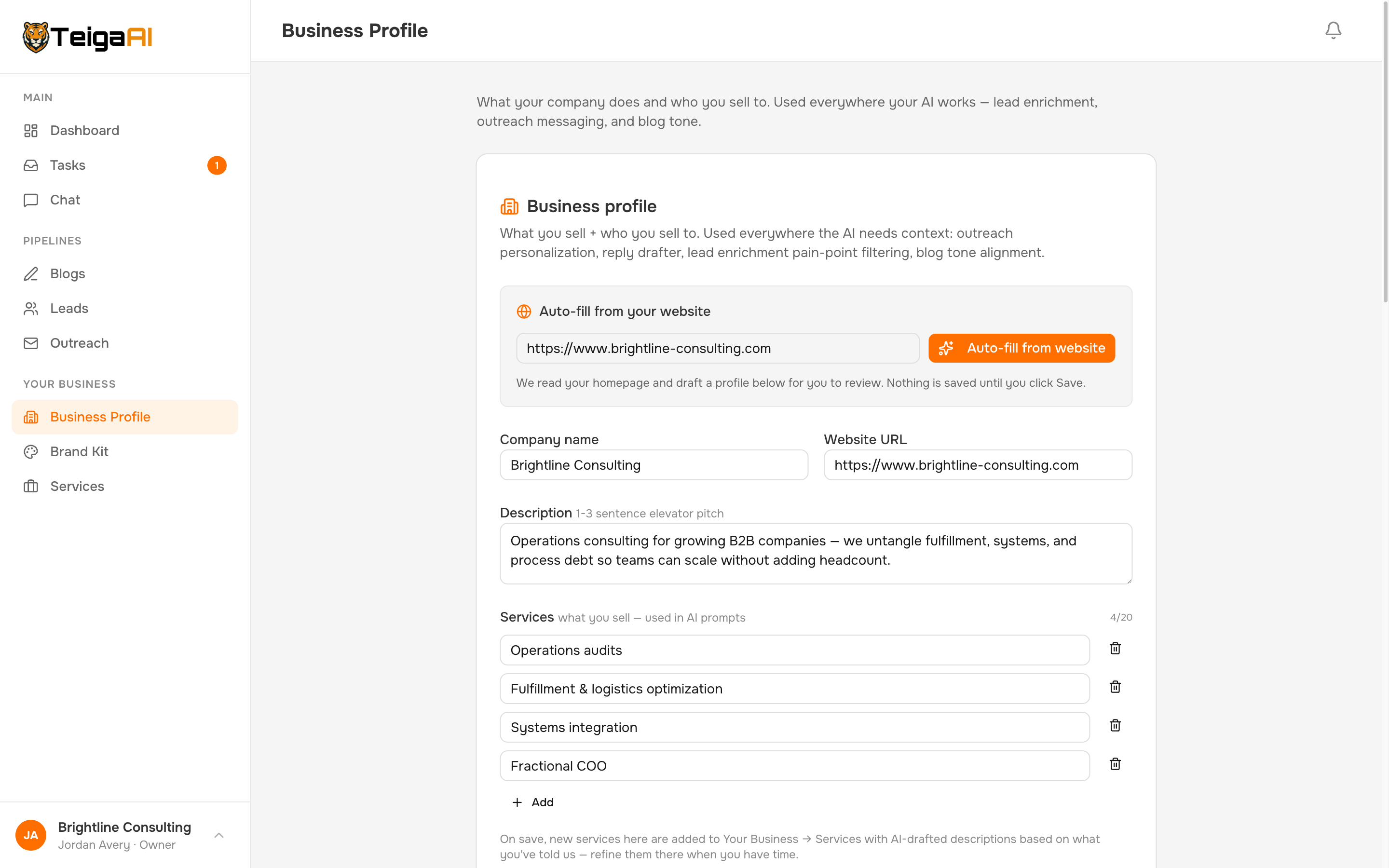
TeigaAI learns your business before it writes a word.
Paste your website URL and it builds your Business Profile automatically — services, ideal customer, differentiators, the problems you solve. Every AI feature reads from this one profile: lead scoring, blog tone, outreach messaging.
Which means to you: You explain your business once, and every email and article sounds like it came from someone who actually works there.
Stage 2 · Find leads
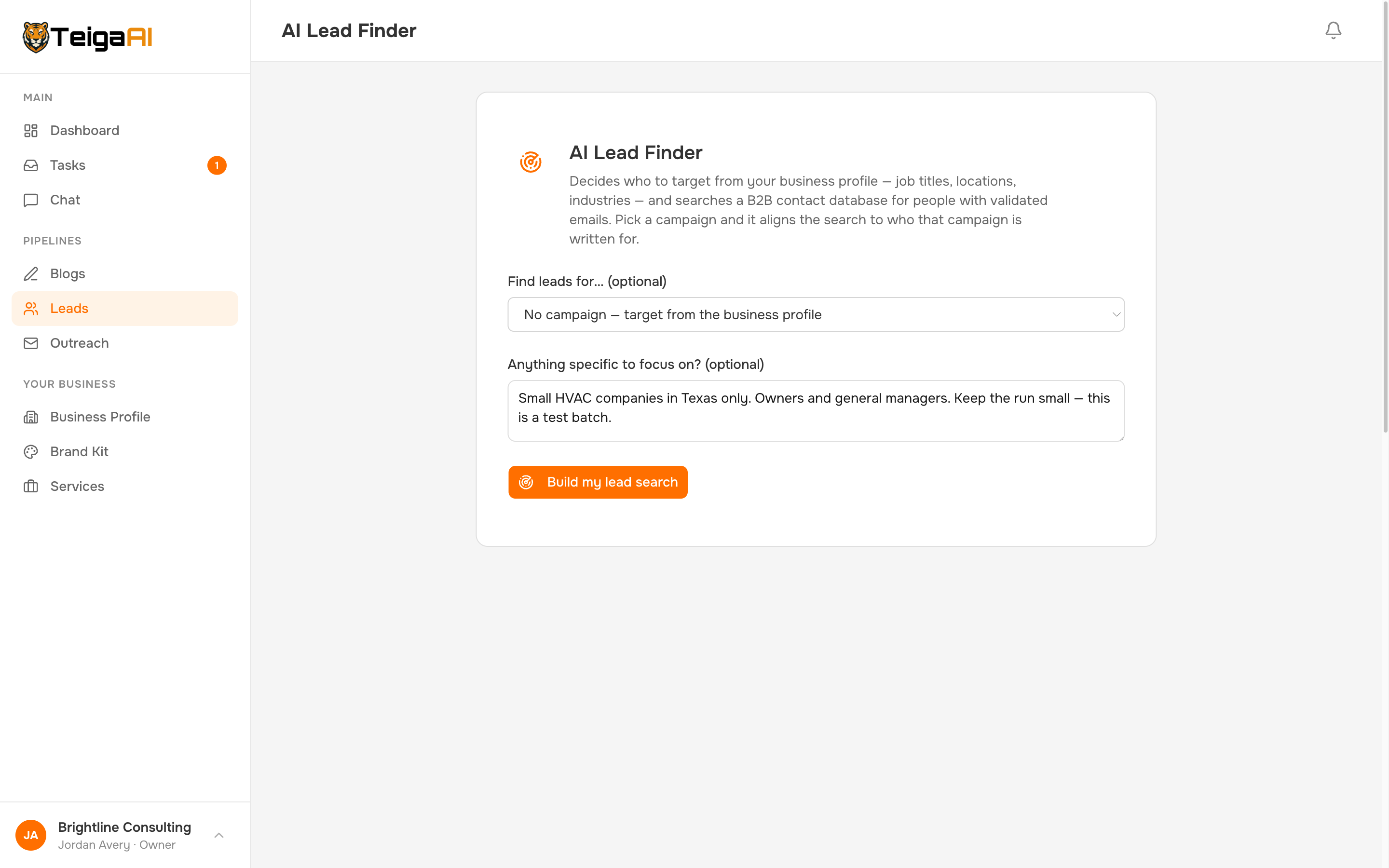
Prospects that match your ideal customer, with validated emails — no list-buying.
Lead Finder searches by job title, seniority, industry, company size, and revenue. Or pull employees from specific companies you name. Email status defaults to validated-only, so bad addresses never enter your pipeline.
Which means to you: Your list builds itself while you're in client meetings — and it's a list that won't bounce.
Stage 3 · AI enrichment
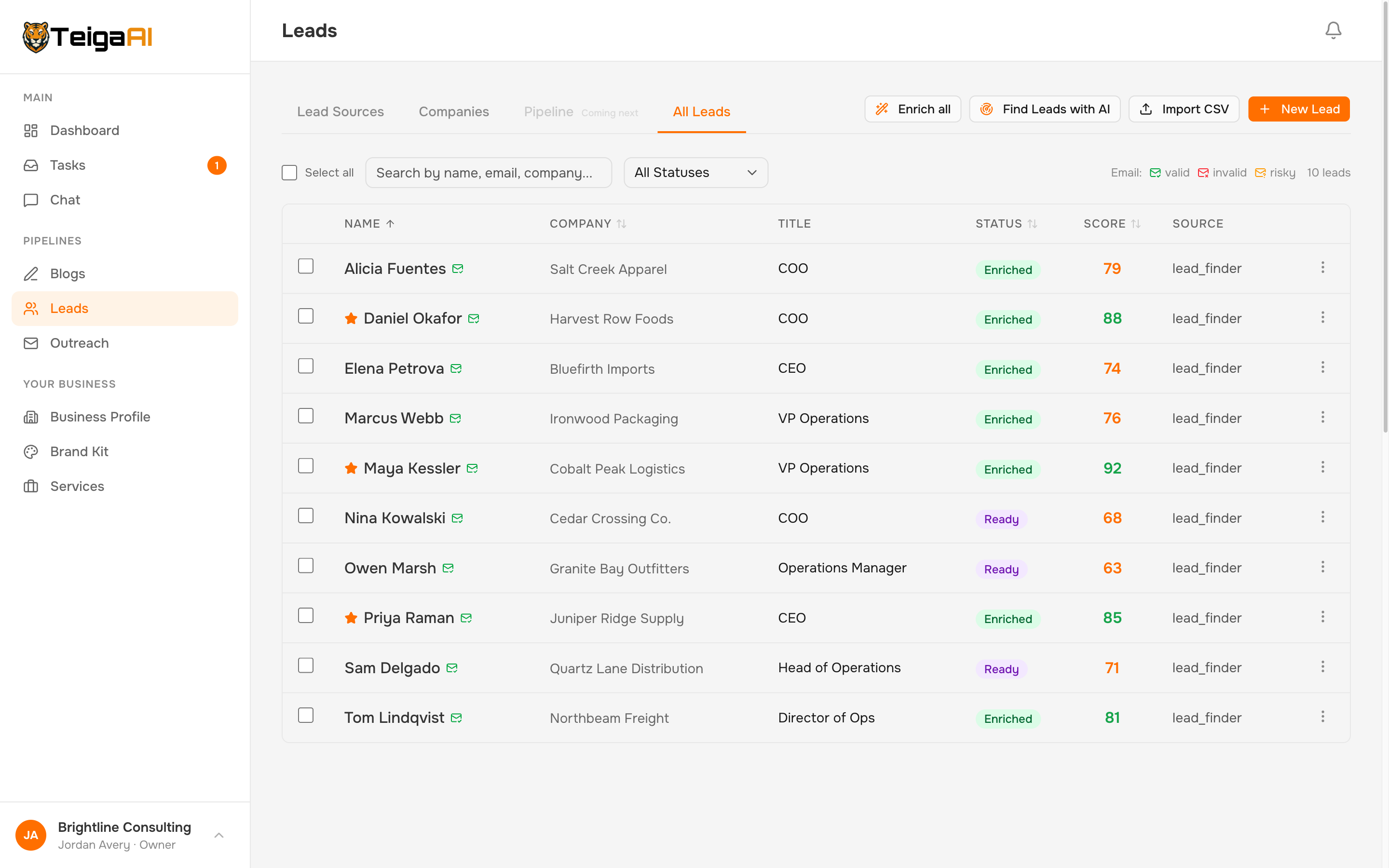
Every prospect comes with a brief, not just an email address.
TeigaAI researches the company first — revenue, headcount, tech stack, recent news, and pain points surfaced from public reviews and community discussions — then researches the person: role-specific pain points, service-fit scores against your offerings, personalized talking points, and a 0–100 score. It even flags the best contact at each company.
Which means to you: You (and the AI) open every email knowing what this company struggles with and which of your services fits — the difference between "quick question" spam and a message that lands.
Stage 4 · Campaigns
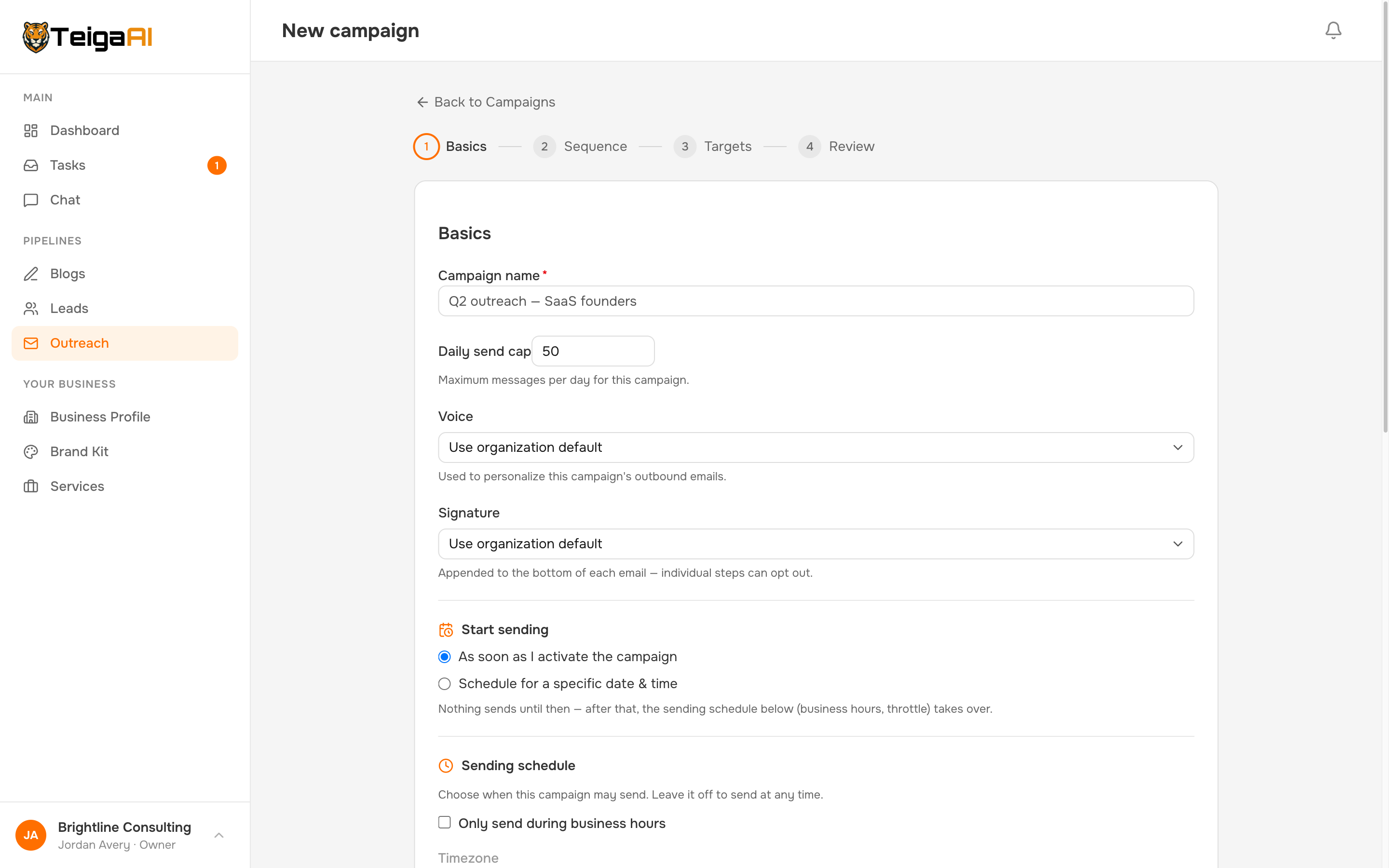
From a blank page to a reviewable campaign in minutes.
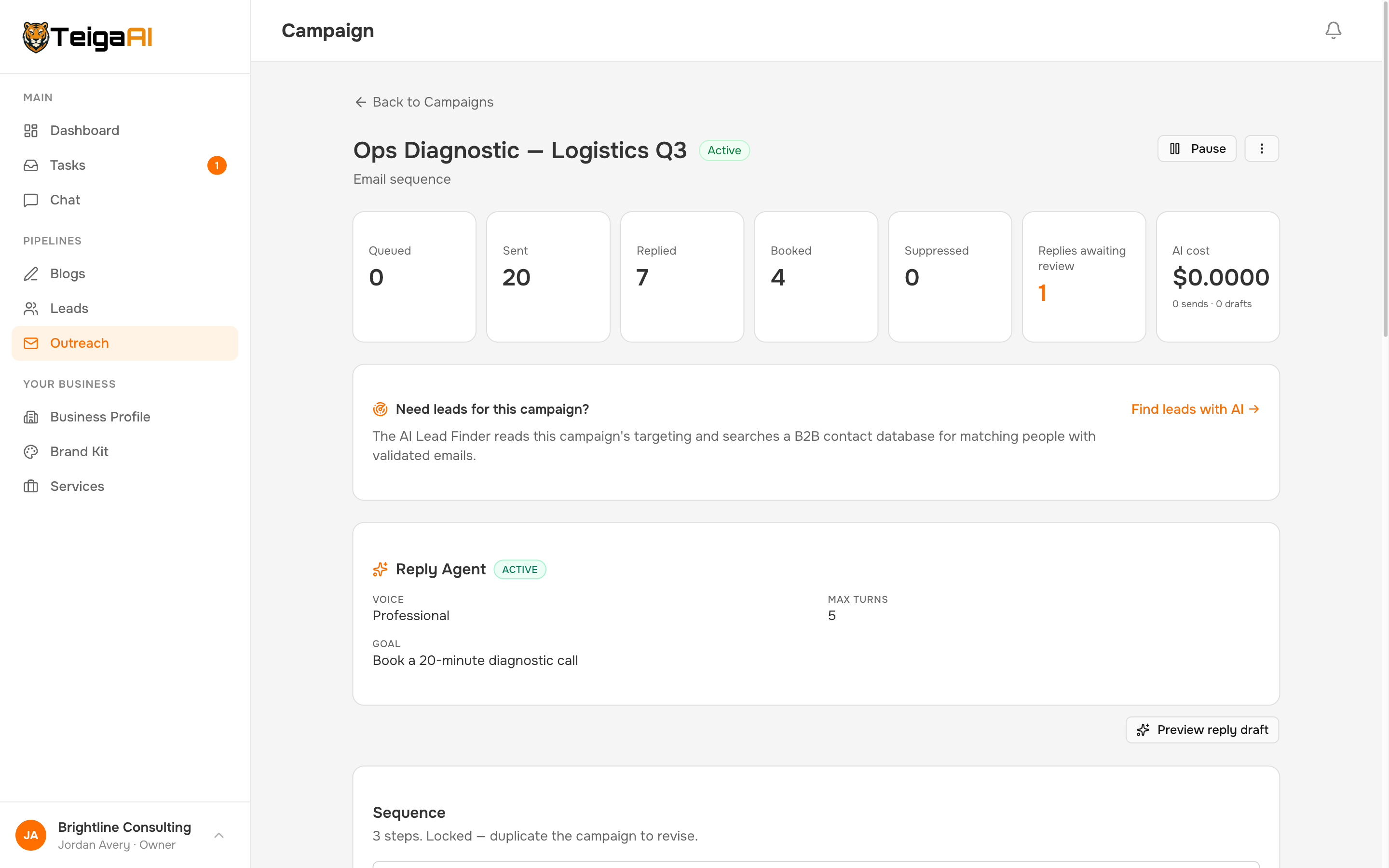
The AI Strategist reads your Business Profile and proposes the whole campaign: who to target, the segment rules, the messaging angle, and a drafted sequence — built on proven copywriting frameworks. Everything it proposes is editable. Prefer to drive? The four-step wizard gives you full manual control, with "Draft with AI" available at any step.
Which means to you: The hardest part of outreach — staring at an empty sequence wondering what to say — is gone, and you never inherit a black-box playbook you can't change.
Stage 5 · Sequences that don't decay
The fourth follow-up sounds as human as the first.
Most tools personalize email one, then blast identical follow-ups — prospects can smell the switch. TeigaAI personalizes per step, on by default, pulling fresh enrichment each time and imitating the real emails you've trained your Voice on. Run A/B variants on any step and see per-variant stats. Guardrails check every AI draft; if anything fails, it falls back to your approved template.
Which means to you: Reply rates stop cliff-diving after email one — the touches that usually get marked as spam are the ones that sound most like you.
Stage 6 · Replies
No reply sits unanswered while you're with a client.
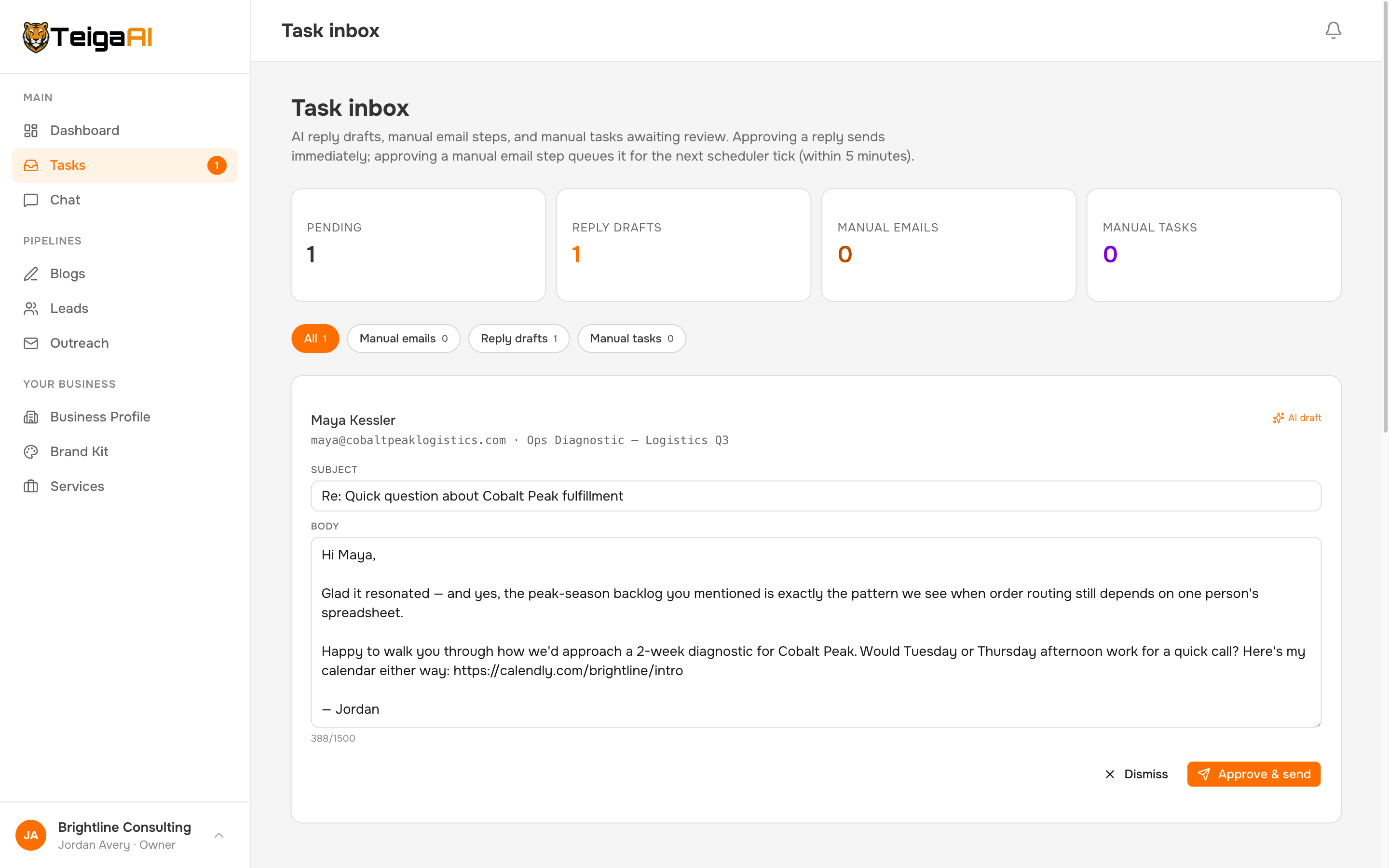
The moment a prospect replies, the AI reads the thread, classifies intent, and drafts a response in the mailbox owner's voice — with your objection playbook and your calendar link — then queues it in your task inbox. Approving sends it. Autopilot is opt-in and only becomes available after the agent has earned a run of approved replies; even then, it sends through the exact same checks as a human approval.
Which means to you: The fastest responder usually wins the meeting — now that's you, without watching your inbox all day.
Stage 7 · Booked meetings
A booked meeting is the finish line — so TeigaAI treats it like one.
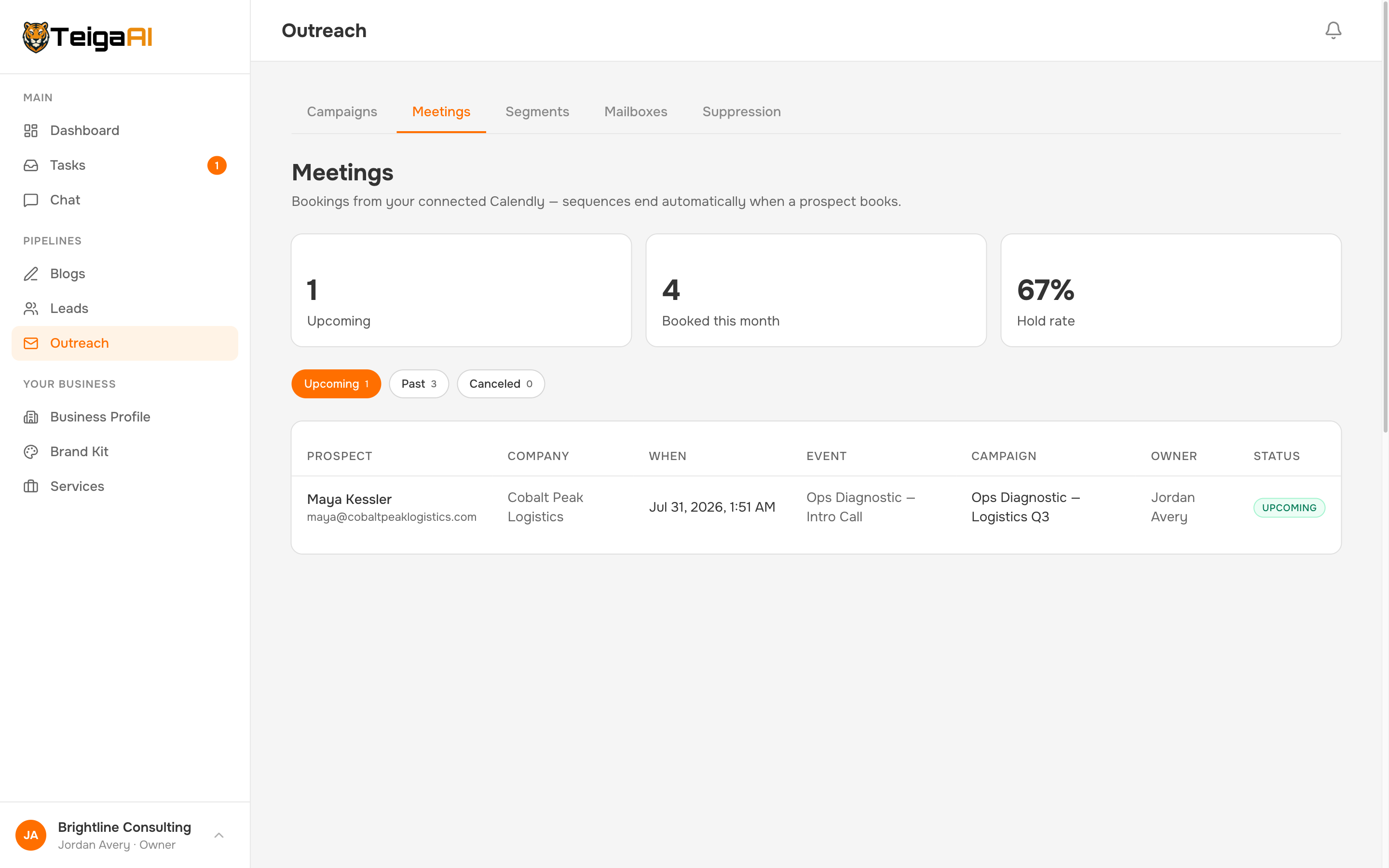
Connect Calendly, and the moment a prospect books, their sequence ends automatically — no awkward follow-up after they've already said yes. Every booking is recorded and attributed to its campaign, with a Meetings view tracking bookings, cancellations, and hold rate. With HubSpot connected, contacts, research notes, and booked meetings sync two-way with your CRM.
Which means to you: You measure campaigns by the metric that pays — meetings held — and your CRM stays current without data entry.
Stage 8 · Content engine
The outreach books this quarter's meetings. The blog books next year's.
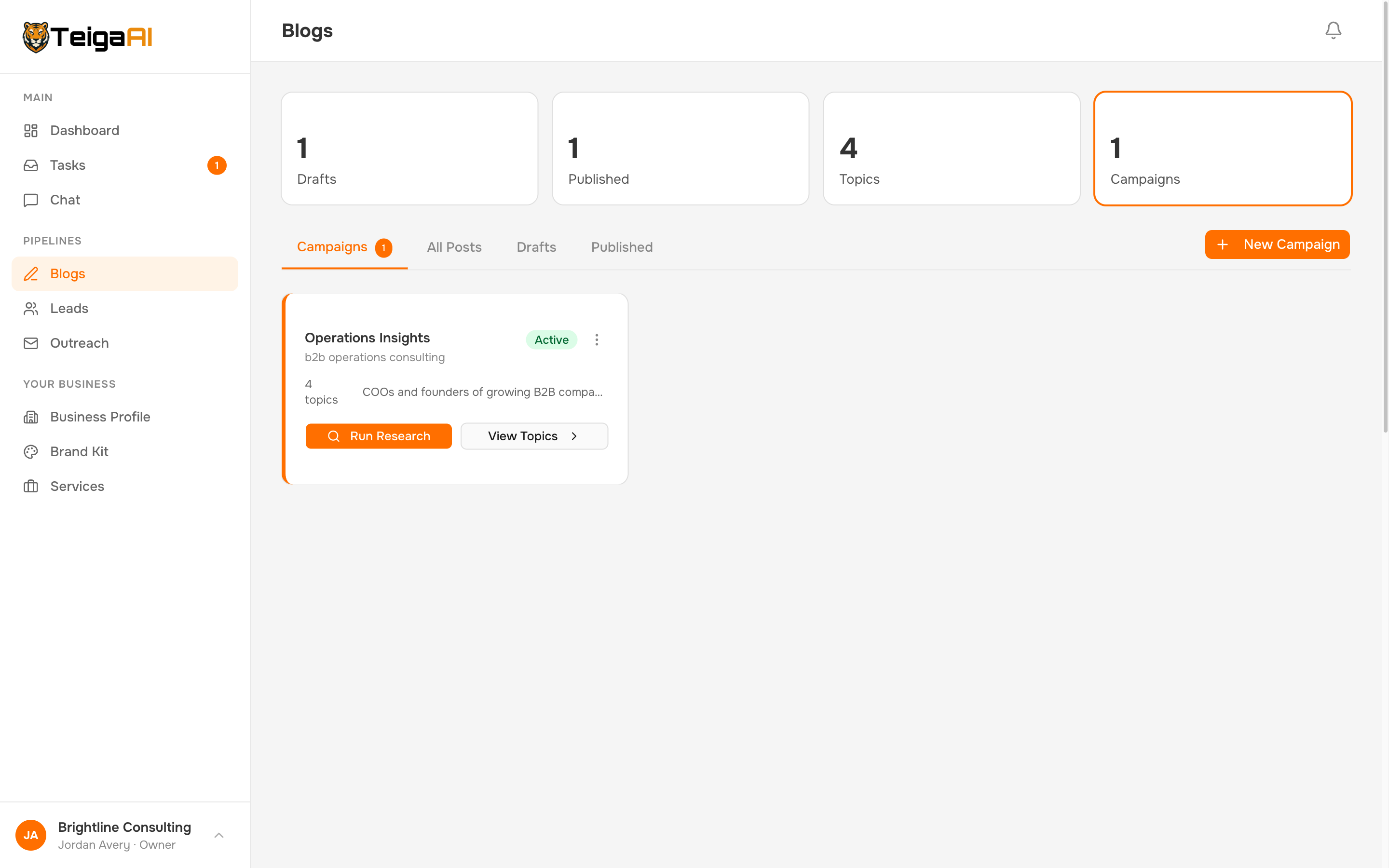
Blog campaigns run continuous keyword research with real SEO data — volume, difficulty, opportunity — and turn any topic into a full, on-brand draft with an AI hero image. Edit in a rich editor with AI Assist, publish to Webflow in one click, or copy the finished post anywhere.
Which means to you: You compound inbound authority in parallel with outbound — from the same Business Profile, in the same subscription. No cold-outreach competitor has a content engine at all.
Stage 9 · Deliverability & compliance
Inbox-safe by default. Compliant by default.
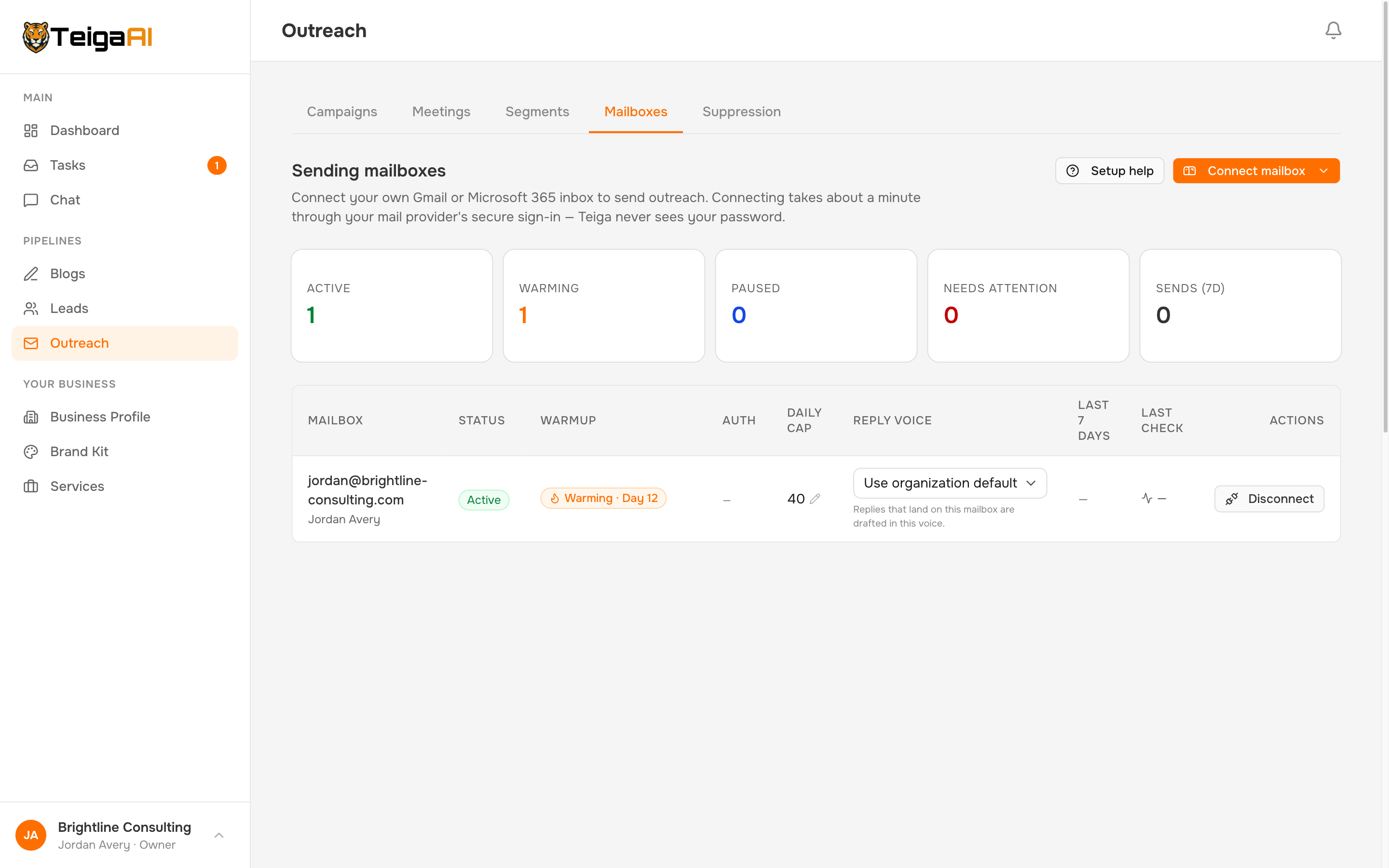
You send from your own Gmail or Microsoft 365 via secure sign-in — TeigaAI never sees your password. Built-in warmup readies new mailboxes; SPF/DKIM/DMARC checks, per-mailbox daily caps, human-like pacing, and a per-mailbox health view protect your reputation. Every send checks your suppression list first and carries a CAN-SPAM footer with a working unsubscribe. And there's a one-click kill switch that halts everything instantly.
Which means to you: You get the results of a deliverability specialist without becoming one — and you can always pull the plug.
Everything you just read is one subscription.
Finder, enrichment, sequences, reply agent, meetings, blog engine, warmup — from $179/mo, AI included. Try all of it free for 14 days. No card.
Every feature. 14 days. No card.